
Instrument Expert
Original factory packaging

Service Hotline:
(+86)010-52867771
Instrument Expert
Original factory packaging
Service Hotline:
(+86)010-52867771
Updated:2025-03-25
Views:2284
 WeChat
 QQ
QQ
 Online Service
 Datasheet(CN) Datasheet(EN) User's manual
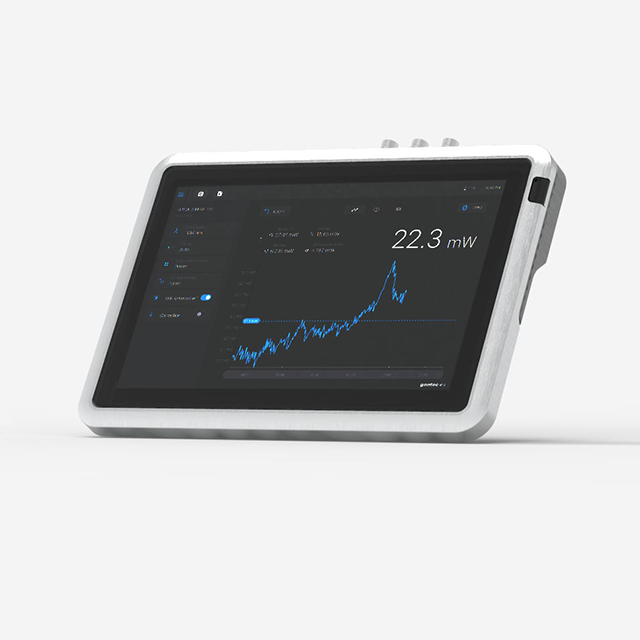
Gentec-EO MIRO ALTITUDE Touchscreen display device for power & energy measurement. Single-channel.
MAll-new MIRO ALTITUDE: Supercharged professional display device for power and energy measurement
MIRO ALTITUDE is Gentec-EO’s new flagship meter for reading your laser power and energy measurements.
More than an evolution from our current product line, we see it as a revolution in the laser beam measurement industry that helps engineers and service technicians increase their productivity thanks to numerous new features in both hardware and software.
Supercharge your productivity with an intuitive user interface, an extra large screen, tons of connectivity possibilities, 3 convenient display modes, a built-in dataviewer and a built-in file manager.
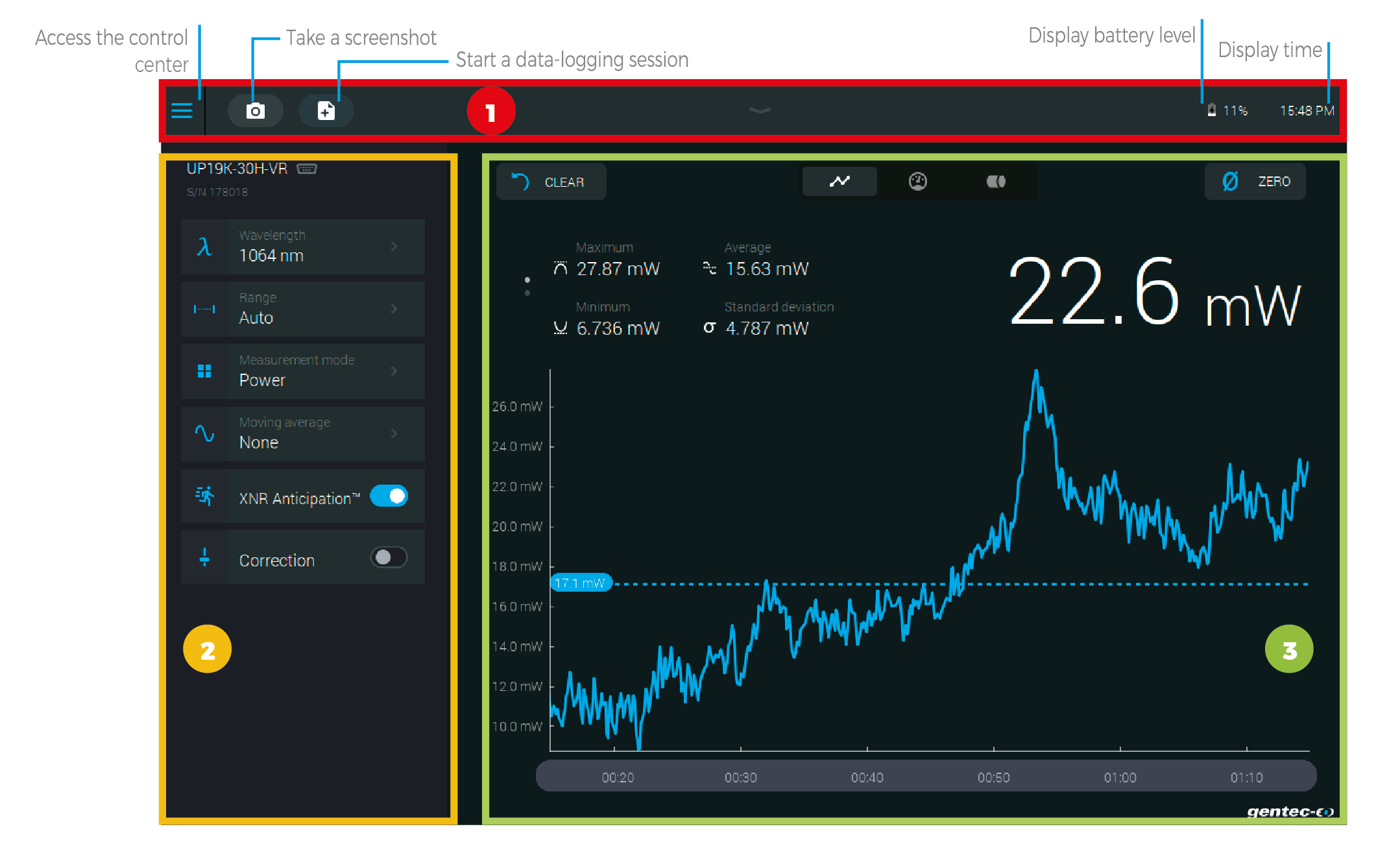
MIRO ALTITUDE user interface tour
1 - NAVIGATION BAR The upper part of the screen includes a direct access to the control center, data acquisition buttons and various indicators (battery level and time).
2 - MEASUREMENT SETTINGS PANEL Use the various measurement settings available for your detector to set everything related to your measurement.
Wavelength: Enter your wavelength or choose from a list of recently used wavelengths
Range: Set the measuring range to autoscale or to one of the standard values
Measurement mode: Choose what you want to measure: power, SSE, moving average, etc.
Moving average: Choose the desired moving average to use to plot the chart
Trigger: Enter the desired trigger level or choose from a list of recently used values
XNR AnticipationTM: Toggle on to measure up to 10x-20x faster without losing any significant accuracy in your readings
Correction: Set a multiplier and an offset value for your measurement
Attenuator: Toggle when using a Gentec-EO calibrated attenuator with your detector
3 - DISPLAY AREA The top part of the display area is the same for all three display modes.
Clear: Use this button to reset the statistics and erase the scope graph’s data
Zero: Set the current measured value to zero
Display mode: Toggle your display mode between: scope, needle and bar chart
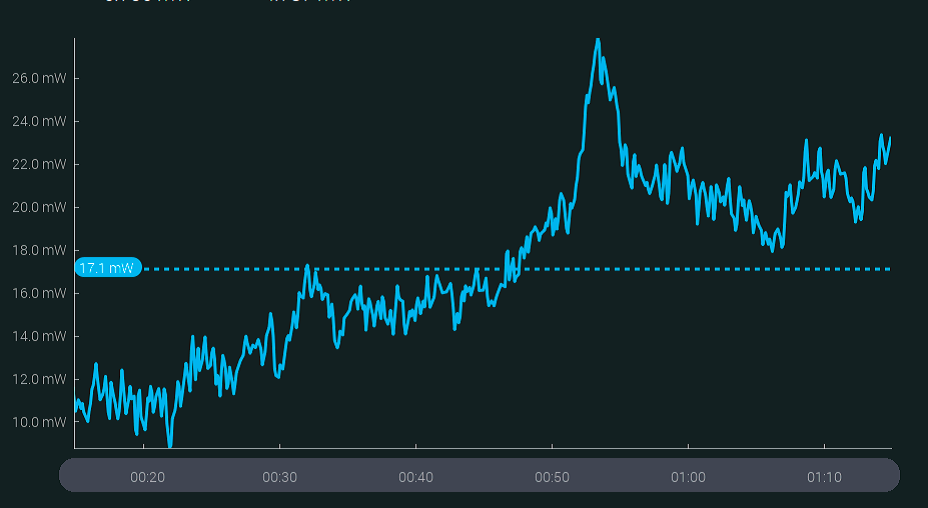
SCOPE DISPLAY
With this display mode, you can travel in time using the time line at the bottom to view measurements at any point in time while MIRO ALTITUDE continues to measure.
The dotted blue line shows the average value.
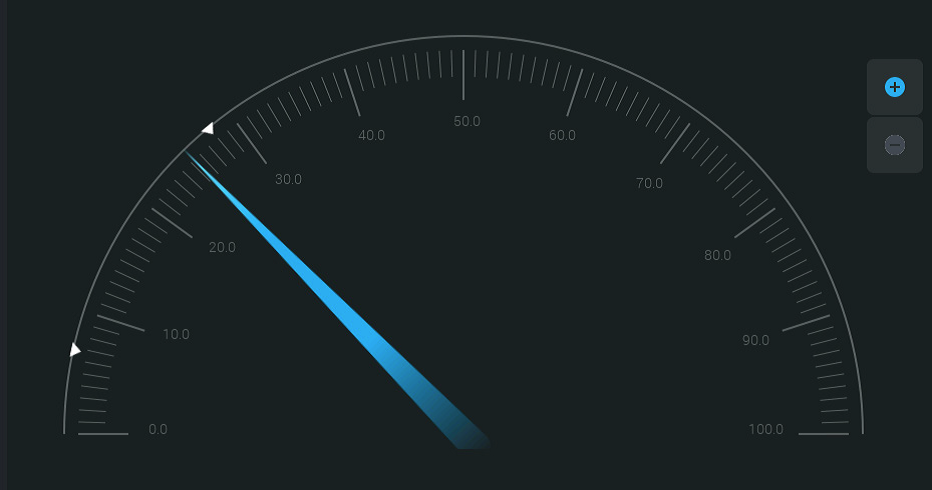
NEEDLE DISPLAY
Faster than an analog needle thanks to XNR AnticipationTM! This mode is particularly useful when tuning a laser. The real-time value and statistics are always visible at the top of the screen.
Arrows indicate the minimum and maximum measured values since the last reset. The zoom function sets these values as full scale of the digital gauge.
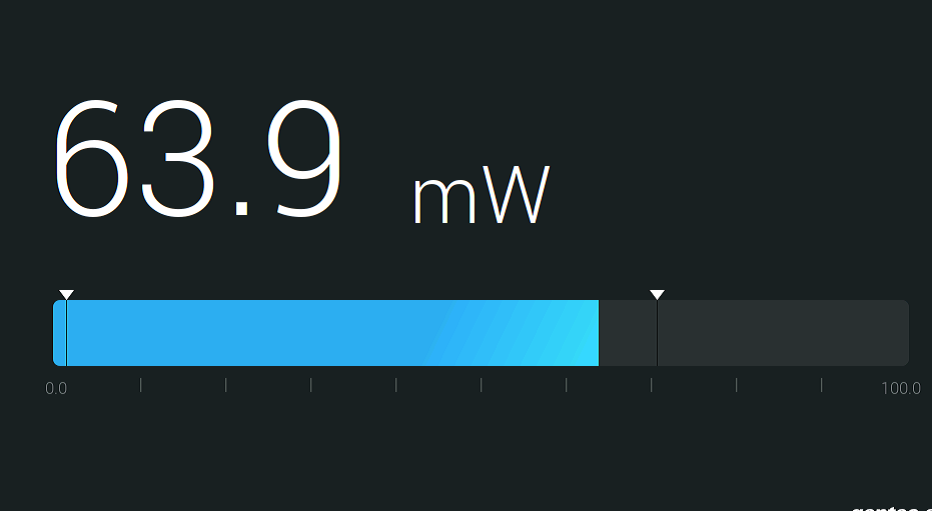
BAR DISPLAY
This is the simplest display mode. Its main advantage is that the current measured value is displayed in huge size, allowing you to read the measurement from a good distance.
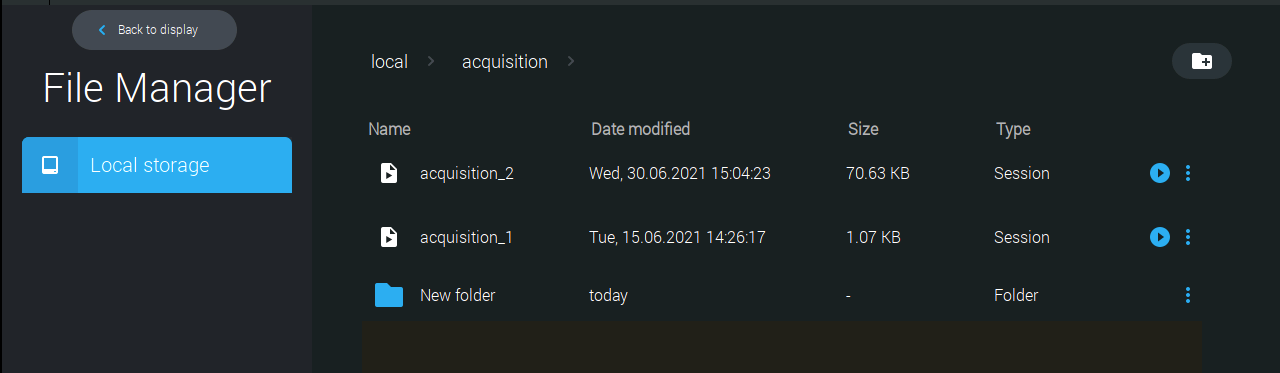
BUILT-IN FILE MANAGER AND DATA VIEWER
MIRO’s built-in file manager lets you access and organize all your screenshots and recorded measurement sessions. You can also copy files on your USB key.
There is also a built-in image viewer so you can view your screenshots directly on your MIRO ALTITUDE. Visualize a recorded measurement session with our built-in data viewer. Data will be displayed in the scope chart display.
Key Features
A screen designed for professional use
10” high-resolution, anti-glare touchscreen, just like one would expect nowadays for a professional work tool.
A user interface that won’t leave you searching around
With its modern and intuitive user interface, MIRO ALTITUDE is so simple to use that it is literally plug-and-play. It was designed to take full advantage of its larger-than-life screen so you can see at a glance all that matters to your measurement at all times.
Super strong and durable
Remarkably strong and durable metal casing that you won’t be afraid to break in the field or during transportation.
Connectivity possibilities
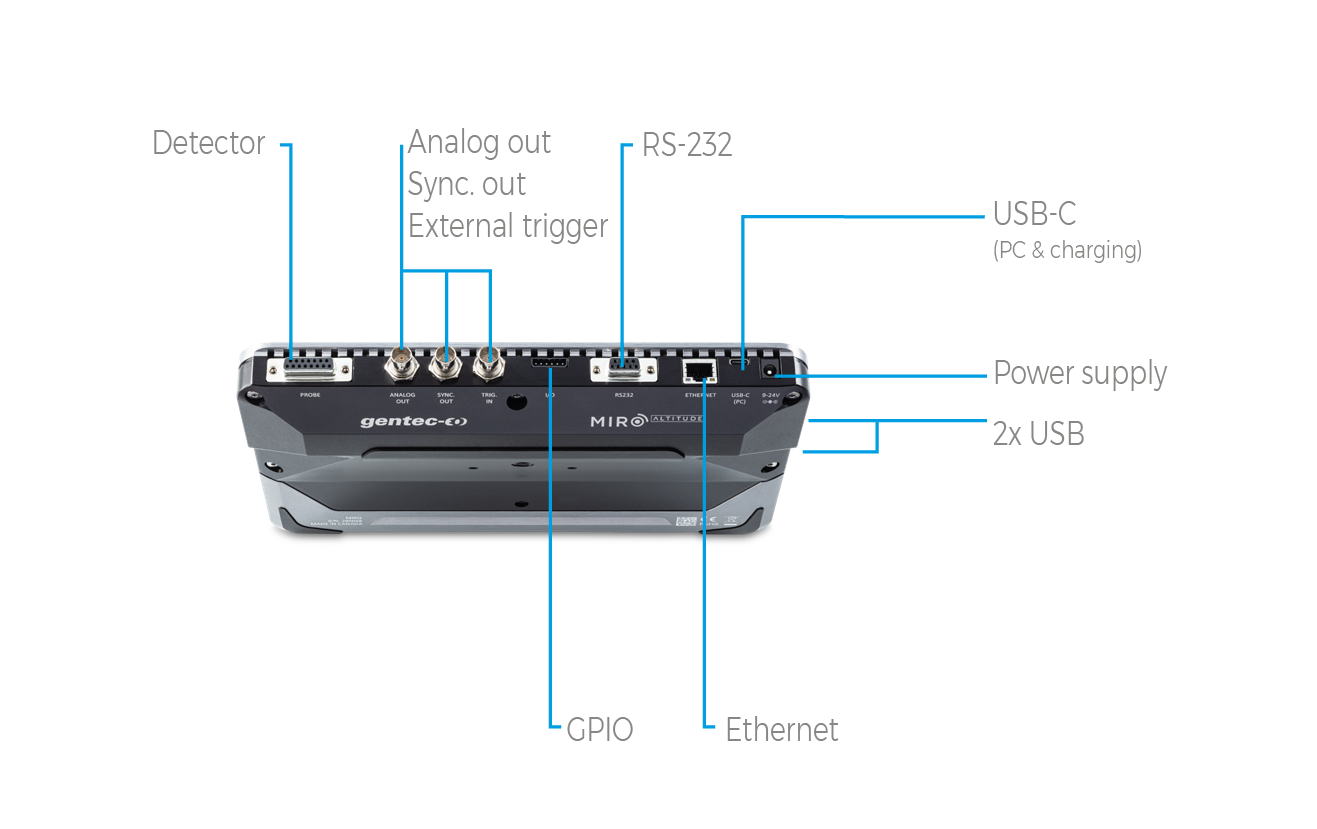
Support for analog output and external trigger, as well as USB keys to log data.
Convenient ways to use it
Tabletop
On a stand
Handheld
Display modes for all use cases
MIRO ALTITUDE has 3 display modes, including one that lets you time-travel to check past data points without interrupting the current measurement session, and another mode with extra large size digits that you can view from across the room.
Featuring XNR Anticipation
Measure up to 10x faster (detector-dependant) with XNR AnticipationTM, which is probably the fastest measuring capability ever brought to a measurement instrument in this industry.
Built-in data viewer
View a recorded measurement session directly on your MIRO ALTITUDE.
Built-in file manager
Save and organize your recorded measurement sessions and screenshots or move your files to your USB stick.
Specifications
| Controller and GUI specifications | |
| Digital display size | 217 x 136 mm LCD - 1280 x 800 pixels |
| Data display | Real time, scope, statistics, digital tuning needle and averaging |
| Analog output | Coming soon |
| External trigger | 3,3-24 V |
| Serial commands via | USB-C or RS-232 (coming soon) |
| Data storage via | Internal memory or USB key |
| Battery type | Rechargeable Li-ion cell |
| Battery life | 6 hours |
| External power supply | 9-24 VDC 3.33 A, USB-C (min 18 W) |
| Power meter specifications | |
| Power range | 4 pW - 100 kW |
| Device accuracy | 0.5 % ±3 μV for 20 % to full scale |
| Statistics | Current value, max, min, average, standard deviation, RMS & PTP stability, time |
| Response time | Current value, max, min, average, standard deviation, RMS & PTP stability, time |
| Energy meter specifications | |
| Energy range | 2 fJ to 30 kJ |
| Device accuracy |
1 % ±50 μV (<500 Hz) 2% ±50 μV (500 Hz - 10 kHz) |
| Software trigger level | 0.1 to 99.9 %, 0.1 % resolution, default 2 % |
| Repetition rate | 10 kHz |
| Statistics | Current value, max, min, average, standard deviation, RMS & PTP stability, pulse #, repetition rate and average power |
| Physical characteristics | |
| Dimensions | 268W x 196H x 36D mm |
| Weight | 1.36 kg |
Customer Service QQ
Customer Hotline:
Technical Supports


 3003988120
 yiqi.com
 bio-equip.com
 b2bwork.baidu.com
 baidu.com